 by
by
OTP System (Character Security) – Disabling & Enabling
Our players’ characters are just as important to us as they are to you.
The OTP system has been implemented to help prevent account theft and protect your hard-earned progress.
By following the instructions below, you can learn how to disable and enable the OTP security system.

Log in to the panel. Click on your username in the top-right corner and select Profile.

From the left-hand menu, go to OTP Settings and click the Send confirmation code button.
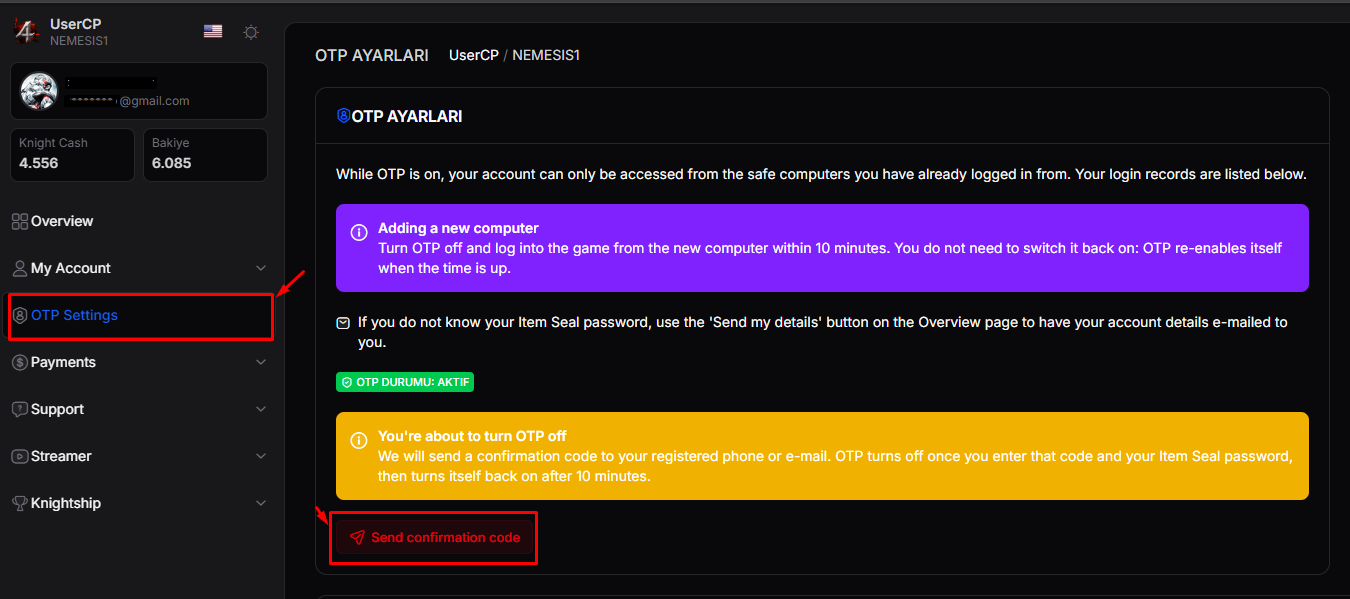
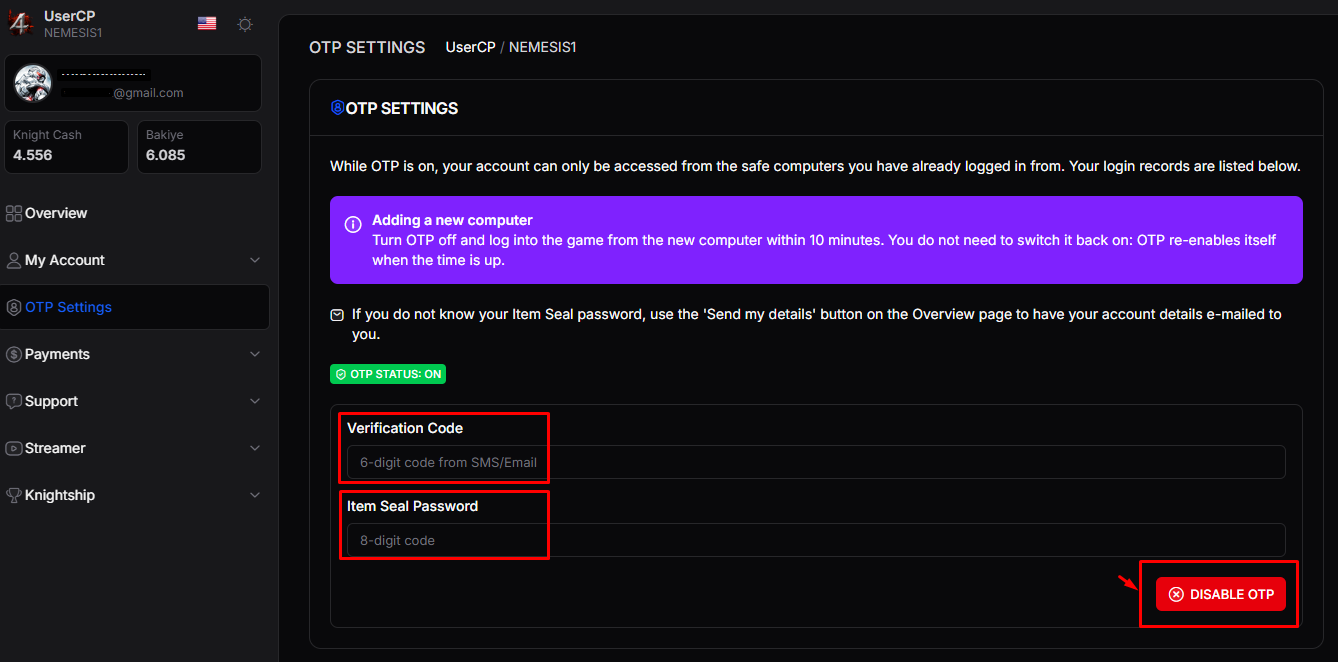
An OTP code will then be sent to your email address. Copy the code and enter the OTP code and your Item Seal password in the menu that appears.
Then, click the DISABLE OTP button to disable OTP. Once you see the "OTP Disabled" notification, the process is complete.
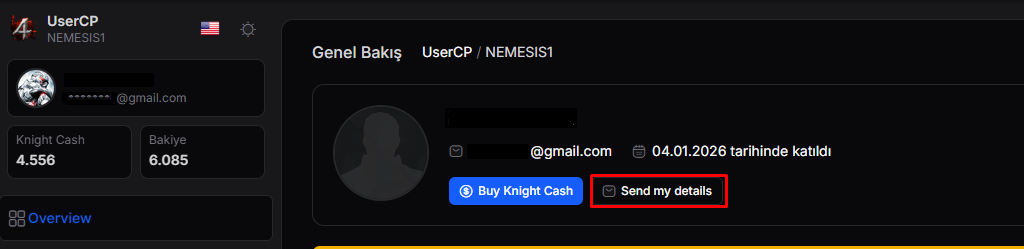
To find out your Item Seal password, click the "Send my details" button on the homepage under the My Account section in the panel. Your 8-digit Item Seal password will then be sent to your email address.
⚠️ For your security, even if you disable OTP, it will be automatically re-enabled after 10 minutes. However, the PCs you have recently logged in from will be saved as trusted devices, so you will not need to enable OTP again when logging in from the same PCs.
What is OTP?
The OTP system automatically saves the MC-HD address of the computer you used to log in to your character and prevents logins from other computers.
One of the most frequently asked questions is, “I can't log in to the same character from my second computer / I can't log in from my workplace.” This is because OTP is active. If you are willing to compromise your character's security, you can disable OTP.
NOTE: If you have logged into other servers using the same ID and password, your character may be at risk. Account thieves may gain access to your character and steal your items.
To prevent this, do not use the same character ID and password on other servers. Make sure to actively use the OTP system we have provided for your security.
However, since it will be possible to log in from all computers where the current OTP has been registered, this method does not provide 100% security. To further enhance your account security, we also recommend enabling Two-Factor Authentication (2FA).
To enable Google Authenticator: https://ko4fun.net/blogs/54420-ko4fun-google-authenticator-2fa
Your hard-earned progress is very valuable to us.
Ko4fun Management Team