KO4FUN FPS boosting features Render Effect and Render Cape (ENG)

Home / KO4FUN FPS boosting features Render Effect and Render Cape (ENG)
 Notices
  • 🔥 NEMESIS IS COMING! Farm Beta starts February 13 at 21:00 GMT+3 – Join events, earn rewards!
  • 📋 Pre-Registration: Feb 16-19 – Sign up early and claim your free Ibexis pots & scroll package!
  • 🏆 ₺10,170,000+ Prize Pool! 8 Academies, 8 Tournaments – The biggest KO event in Turkey!
  • ⚔️ February 20, 21:00 GMT+3 – NEMESIS Grand Opening! New season, new era. Claim your throne!
   

Hello KO4FUN Players;


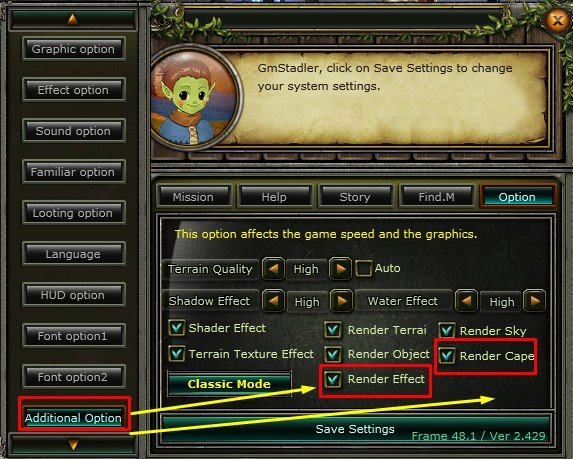
From the F 10 Settings menu

To the "Additional Option" tab

New FPS boosting features have been added.
image.png.b0e41600ba9ed670817cd1c261711e82.png and image.png.1cdeeff4bf8a9c4bcd99db0d7b8fdf21.png  aspecto

You can increase FPS with 2 new toggles.
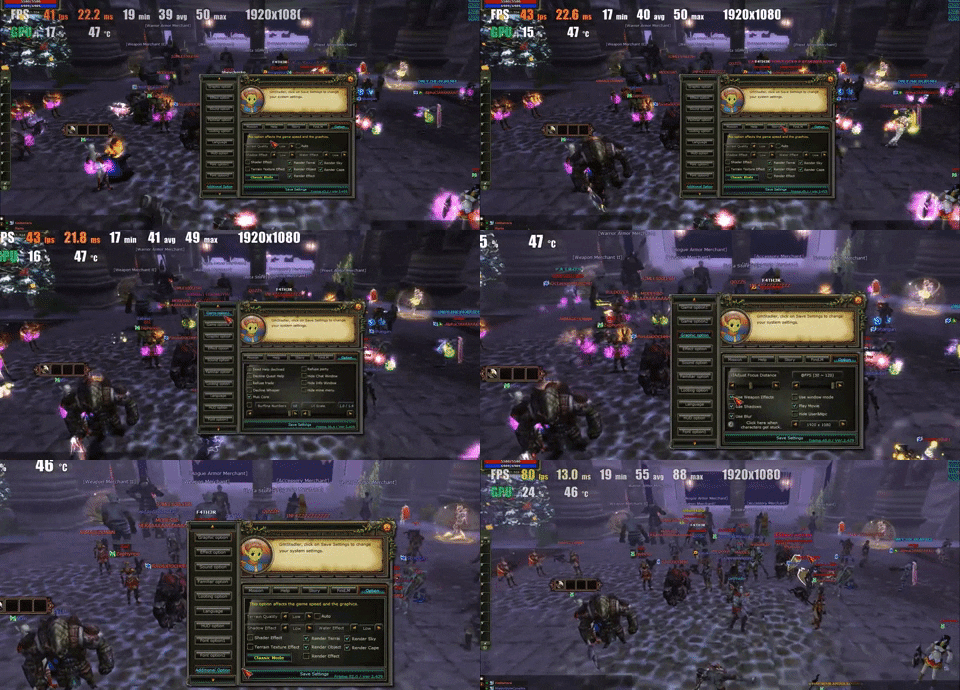
 

Animated GIF


image.jpeg.47aea8f2e69e8020c67657a4dd22c319.jpeg


image.png.b0e41600ba9ed670817cd1c261711e82.png 

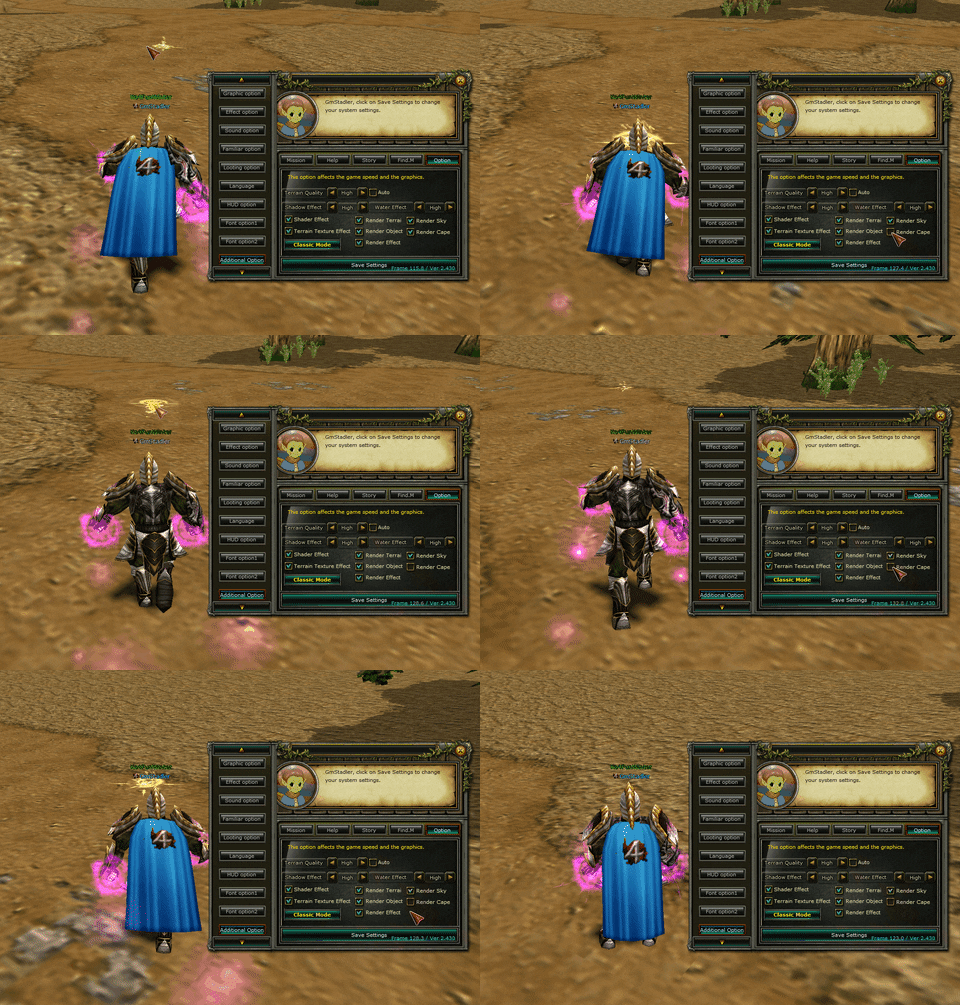
Render effect It offers a fluid game by turning off various glare and the elements that make your computer strain.

Note: Players who do not have problems such as FPS and stuttering do not need to turn it off.


In order for the render effect to be useful, you need to press Classic Mode A in Additional Option.
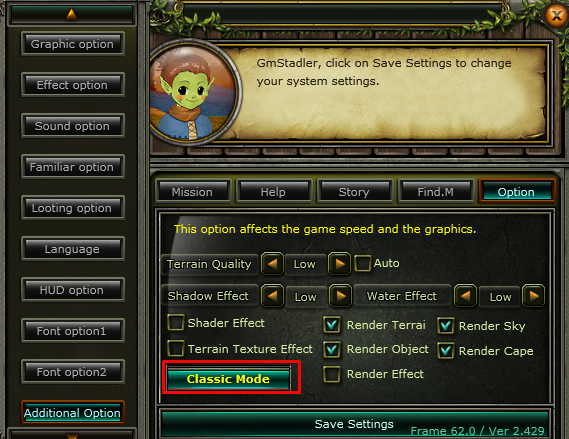

 

image.png.db1357af5cddd80f43406d71b9f32d54.png


image.png.77f20a64ac7118325bbe9af765939c18.png

Other steps to increase FPS;


1

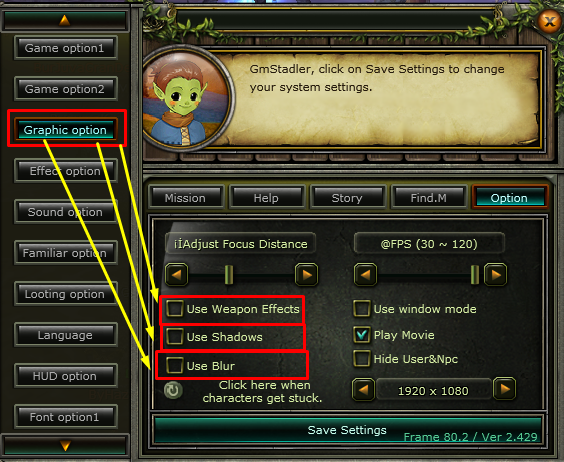
From the "Graphic Option" tab in the F10 settings menu
  • image.png.8e70b2524e97712a1d95418ce2254f79.png Uncheck the box (your items will not glow)
  • image.png.15a5439d96d5c998fda1bad66e15dcee.pngUncheck the box (hide shadows)
  • image.png.4dce34dad3f2d9614b890b4ab965edef.pnguncheck the box (blur)

image.png.9c9f5264edb3c477aac964755456519f.png


image.png.af45d12896d22502d3d1fd450053ca9a.png


2

From the "Graphic Option" tab in the F10 settings menu

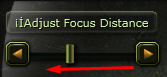
image.png.4521b1539a858821c6f972b42a684d25.png Decrease the Adjust Focus Distance in the direction of the arrow, the setting in the photo is the ideal level.
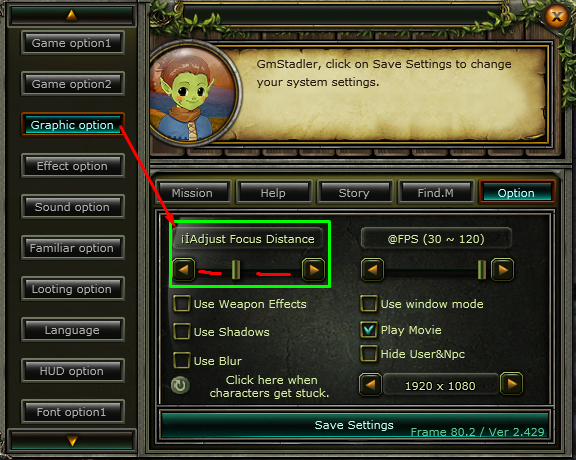

image.png.4bf433e77ae14f3eb631b38820ac782a.png


image.png.d4e18bfb9e0c2bd71f5e24c5f06fe3f3.png


3

image.png.1cdeeff4bf8a9c4bcd99db0d7b8fdf21.png


Animated GIF


Render Cape  The cloak hides, increases FPS.

From the "Additional Option" tab in the F10 settings menu

Untick the render cape box.
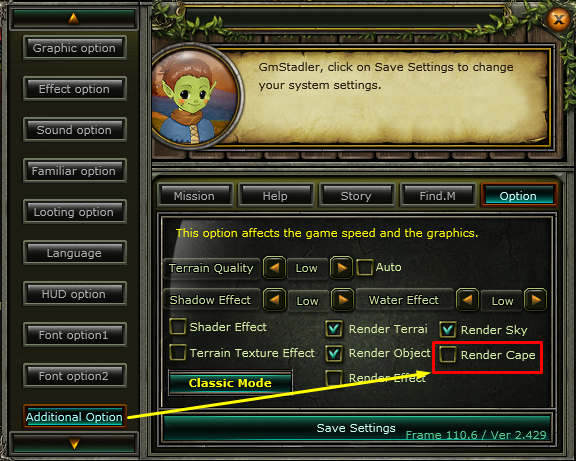
image.png.6a9852ea1d334863227d032fc828c206.png


image.png.b813a0da9ffe5a315ce92554dd4e65b5.png


image.png.b947f451391cf704ae595dca22bef579.png